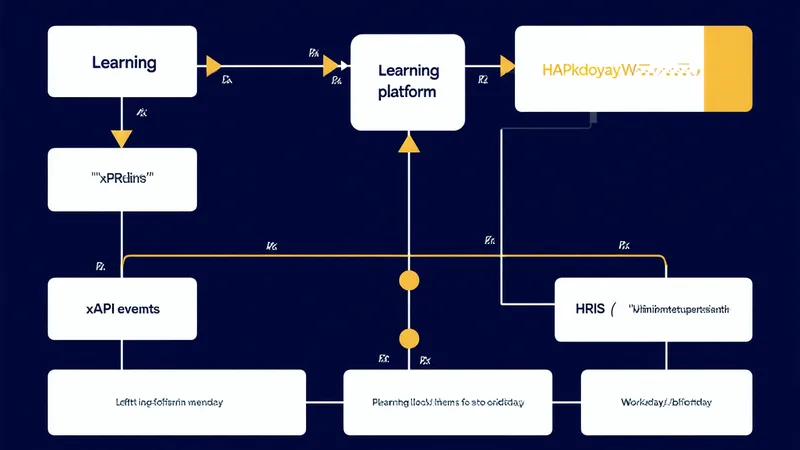
Workday Learning is not a standalone LMS. That distinction matters and it tends to get glossed over in integration conversations. It's a learning management layer that sits inside the Workday HCM ecosystem — it has native access to worker records, job profiles, organizational hierarchies, and position data. That native access is precisely what makes Workday Learning valuable for an ops L&D team. It's also what makes the integration patterns confusing if you're approaching them from a traditional LMS mindset.
When operators ask us how completion data flows into Workday Learning, the honest answer is: it depends on which pattern you're using, and there are three meaningful ones. Each has different failure modes. The completion timestamp problem, the worker ID mapping problem, and the assignment logic problem — these are the three places where well-intentioned integrations produce phantom completions, missing records, or completions that post to the wrong worker.
Pattern 1: xAPI via External LRS to Workday
This is the most flexible pattern and the one with the most configuration surface area. An external learning platform (your delivery layer — could be a purpose-built ops learning tool, a courseware authoring environment, or a JIT mobile platform) sends xAPI statements to an LRS. The LRS, in turn, sends structured completion events to Workday Learning via the Workday Learning REST API or the EIB (Enterprise Interface Builder) integration.
The xAPI statement itself needs to carry the correct actor identifier. Workday expects to match the actor against a worker record — typically via the worker's Workday Employee ID or their work email address (used as the mbox value in the xAPI actor object). The mapping looks straightforward until you encounter workers who have multiple email addresses in Workday, or whose Employee IDs were updated during an HR system migration, or whose HRIS records weren't created yet when they completed the training on day one of onboarding.
A common failure pattern: a logistics operator (2,400 drivers and operations staff) rolls out mobile-based driver safety training to a cohort of new hires. The training platform sends xAPI statements with actor.mbox set to the new hire's personal email — the one used for the initial onboarding communication — not the work email that's been provisioned in Workday. Completions don't match. IT spends three weeks doing a manual reconciliation. The DOT-required training completion records are missing from Workday until someone fixes the mapping.
The fix isn't complex: require work email as the actor identifier in the xAPI configuration, and implement a hold on sending completion statements until the worker's Workday record is created and the email is confirmed. But it has to be designed in, not discovered during the first rollout.
Pattern 2: SCORM Delivery via Workday Learning's Native Content Player
Workday Learning has a built-in SCORM player that accepts SCORM 1.2 and SCORM 2004 packages. When you upload a package directly to Workday Learning and assign it as a Learning Enrollment, completion tracking happens natively — the SCORM communication runs through Workday's own API layer, and the completion record posts to the worker's Learning History in Workday automatically.
This is the cleanest pattern for operators who have an existing SCORM courseware library and are moving to Workday Learning as their primary platform. The assignment is managed in Workday (via Learning Plans, Learning Campaigns, or auto-enrollment rules based on job profile), completion is tracked in Workday, and the record is immediately available for reporting.
The limitation: Workday's native SCORM player doesn't handle all SCORM 2004 sequencing logic correctly. Courses with complex sequencingCollection rules — multi-branch prerequisites, adaptive question pools, sophisticated remediation loops — sometimes behave unexpectedly in Workday's player compared to a purpose-built SCORM runtime. For simple courses with linear sequencing (the majority of ops compliance content), this is a non-issue. For custom-authored content with complex branching, test in the Workday sandbox environment before deploying to production.
Pattern 3: Workday Studio API — Direct Completion Write
The Workday Studio integration framework allows a learning platform to write completed learning activity records directly to Workday via web services, bypassing the SCORM or xAPI layers entirely. This is commonly used when the external learning platform maintains the authoritative completion record and Workday is the downstream system of record for HR compliance purposes.
Under this pattern, the learning platform calls the Workday Put_Completed_Learning_Content SOAP API (or the equivalent REST endpoint in newer Workday releases) with worker ID, external activity ID, completion date, and optional score. Workday creates a Learning Activity record in the worker's Learning History.
The advantage: the integration is explicit and auditable — you can log every API call, every response, and every error. The completion record is not dependent on SCORM session management or LRS intermediaries. The disadvantage: it requires API credentials, Workday tenant configuration, and ongoing maintenance as the Workday API evolves across releases. This is an IT-owned integration, not an L&D-owned one — and that ownership dynamic matters for how quickly issues get resolved.
The Timestamp Problem: Why Completion Date Matters More Than You Think
Regardless of which integration pattern you use, the completion timestamp is a field that OSHA and DOT auditors look at. Under 29 CFR 1910 General Industry standards and 49 CFR Part 380 for commercial driver entry-level training, training records must document when training was completed — not when the record was synced to the HR system.
This is where batch-synced integrations create problems. If your learning platform syncs completions to Workday via a nightly batch job, the timestamp in Workday is the batch run time — not the actual completion time. If a driver completed the entry-level training module on a Tuesday at 2pm and the batch ran at midnight, the Workday record shows Wednesday. For most purposes this doesn't matter. In a DOT audit where you're trying to prove that training was completed before the driver's first trip on Wednesday morning, that timestamp discrepancy is a problem.
The fix: ensure your integration pattern passes the original completion timestamp from the learning activity, not the batch processing time. In the xAPI pattern, the timestamp field in the statement is the event time — verify your LRS-to-Workday sync preserves it. In the direct API pattern, the completionDate parameter should come from the learning platform's event record, not from the time of the API call.
Assignment Logic: The Part That's Actually About L&D Design
The integration patterns above handle how completions flow out of the learning layer and into Workday. The other direction — how learning is assigned based on Workday events — is equally important and often overlooked until a gap surfaces.
Workday's Learning Plans and auto-enrollment rules can trigger learning assignments based on job profile, supervisory organization, location, custom worker attributes, and a range of HR lifecycle events. New hire in a specific job family? Auto-enroll in the onboarding path. Worker promoted to supervisor grade? Trigger the supervisor track assignment. Annual compliance due date passed? Reassign the refresher.
The design work here is not technical — it's L&D. You need a decision table that maps Workday events to learning assignments. That decision table needs to be maintained as job profiles change. The most common failure mode isn't a broken API connection — it's an auto-enrollment rule that was built for a job profile that was renamed in the last Workday configuration update and now matches no workers. Completions flow perfectly. Nothing gets assigned.
We're not saying that the technical integration is the easy part — configuring the xAPI LRS endpoint, managing SCORM content uploads into the Workday native player, and maintaining the Studio API credentials all require real IT effort. What we're saying is that the technical integration is the finite part. The assignment logic governance is the ongoing discipline that determines whether the integration is still working correctly in year two.
When Kurios connects to a Workday environment, the first thing we validate is that assignment logic — not the completion plumbing. A completion sync that works perfectly is worthless if the right people aren't getting paths in the first place. The integration test suite covers both directions: assign, complete, and confirm the record in Workday. If the end-to-end doesn't close, we don't declare the integration live.